
Account Settings
Account Settings apply only to your user account. Updates here do not affect other users.
Profile
The Profile tab displays your name and email address.
Note: Email address cannot be modified from this page.
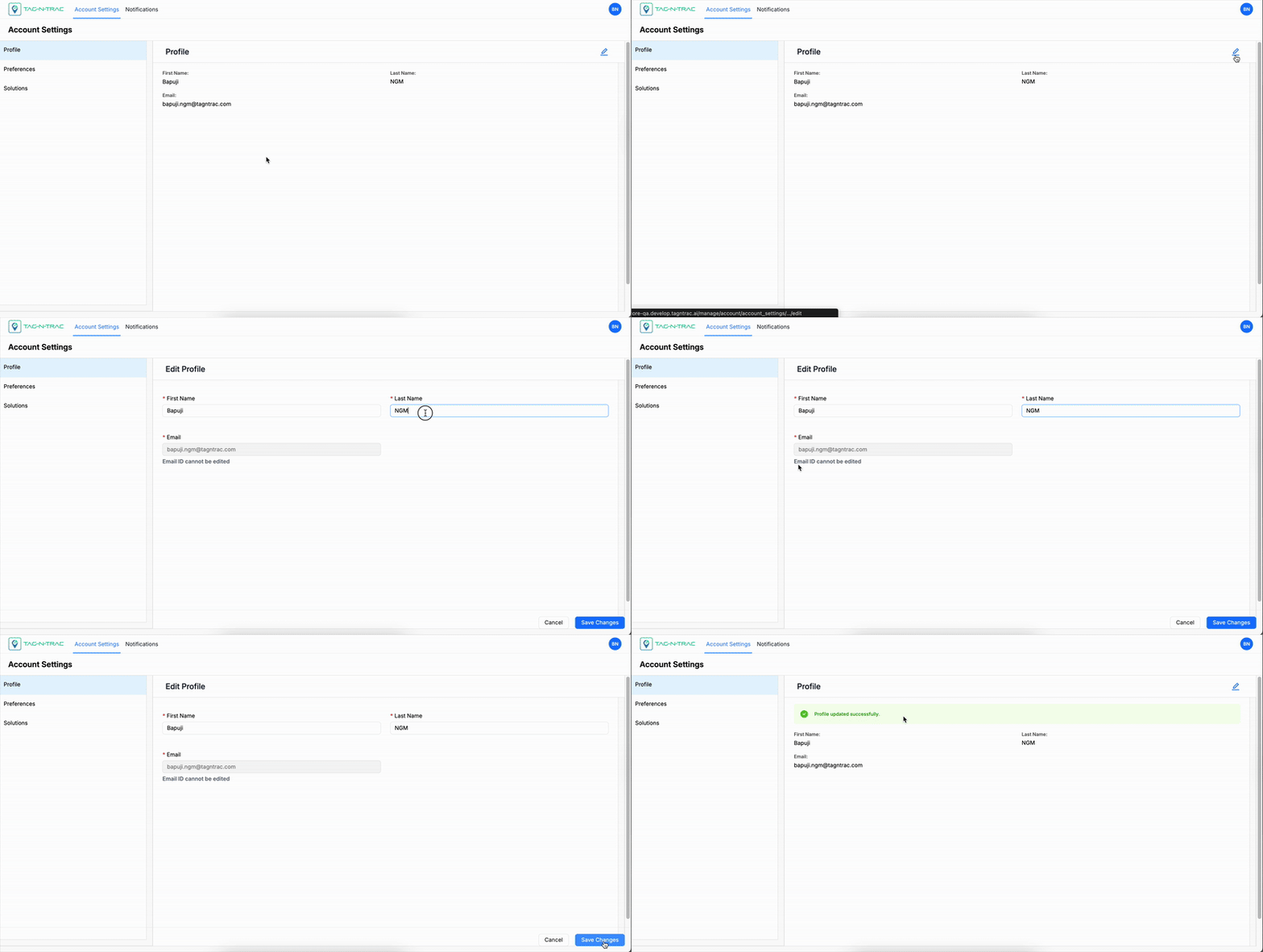
Profile Settings
To edit your name:
- Select the Edit (pencil icon).
- Update your first name or last name.
- Select Save Changes to confirm.
- Select Cancel to discard changes.
Preferences
The Preferences tab allows you to set default views and regional options.
Available Preferences
| Setting | Description | Options |
|---|---|---|
| Temperature Scale | Sets the unit used for temperature displays. | Celsius (°C), Fahrenheit (°F) |
| Timezone | Sets the default timezone for timestamps and scheduled events. | UTC, GMT, PST, EST, Custom |
| Shipment View | Defines the initial layout for shipment pages. | List, Map |
| Asset View | Defines the initial layout for asset pages. | List, Map |
Tip: Use Map View when visual tracking is essential and List View when sorting or reporting is the focus.
Modifying Preferences
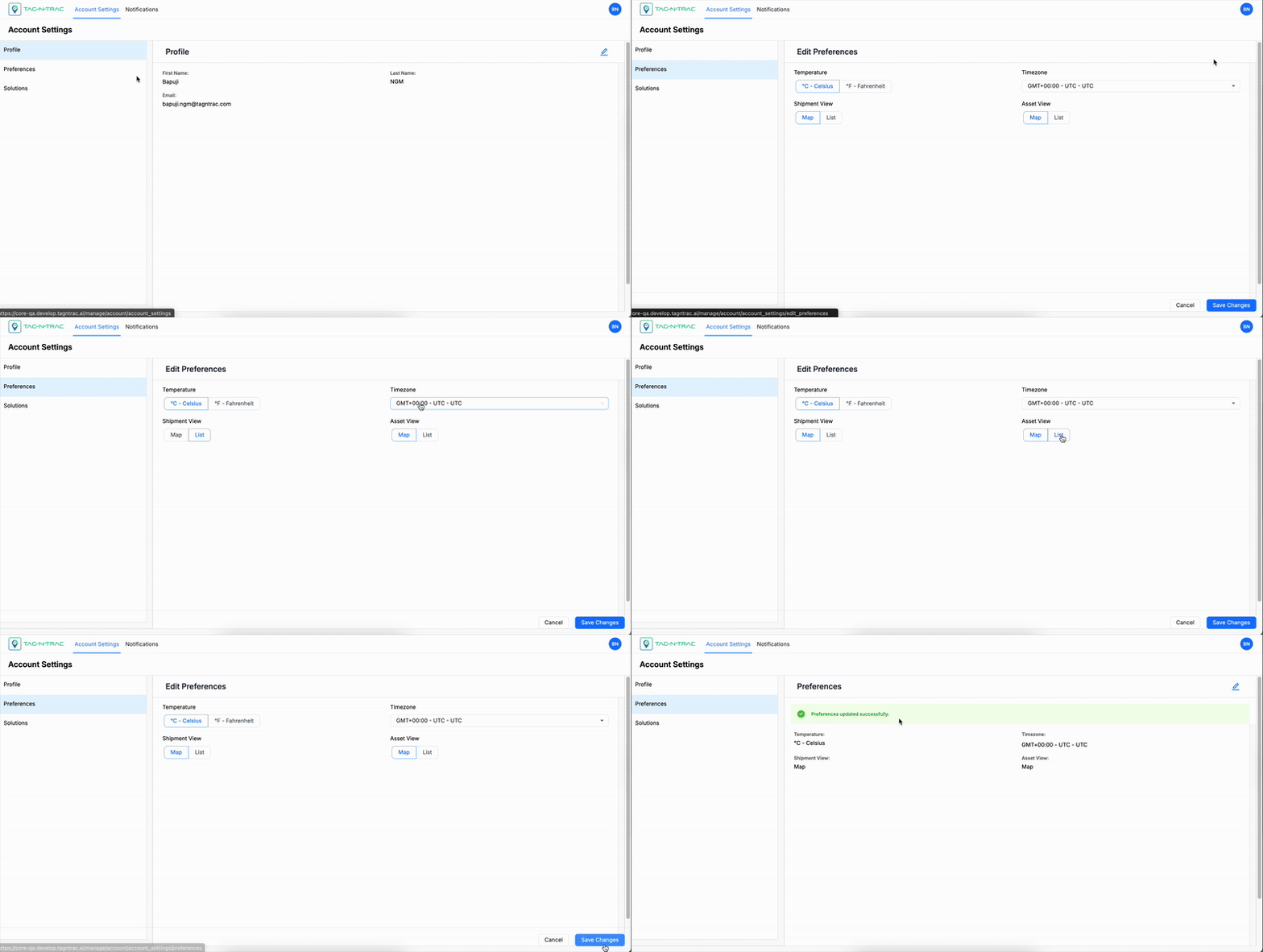
Modifying Preferences
To update your preferences:
- Go to the Preferences tab.
- Select the Edit (pencil icon).
- Choose your preferred values for each setting.
(All settings are required.) - Select Save Changes to apply the updates.
- Select Cancel to exit without saving.
Solutions
If multiple modules are enabled for your account, you can select which one opens by default after signing in.
To set your default solution:
- Go to the Solutions tab.
- Select a solution option.
- Select Save Changes.
To remove the default solution:
- Clear the selected solution.
- Select Save Changes.
After removing the default, the platform prompts you to choose a solution each time you sign in.
Updated 11 months ago
Did this page help you?